
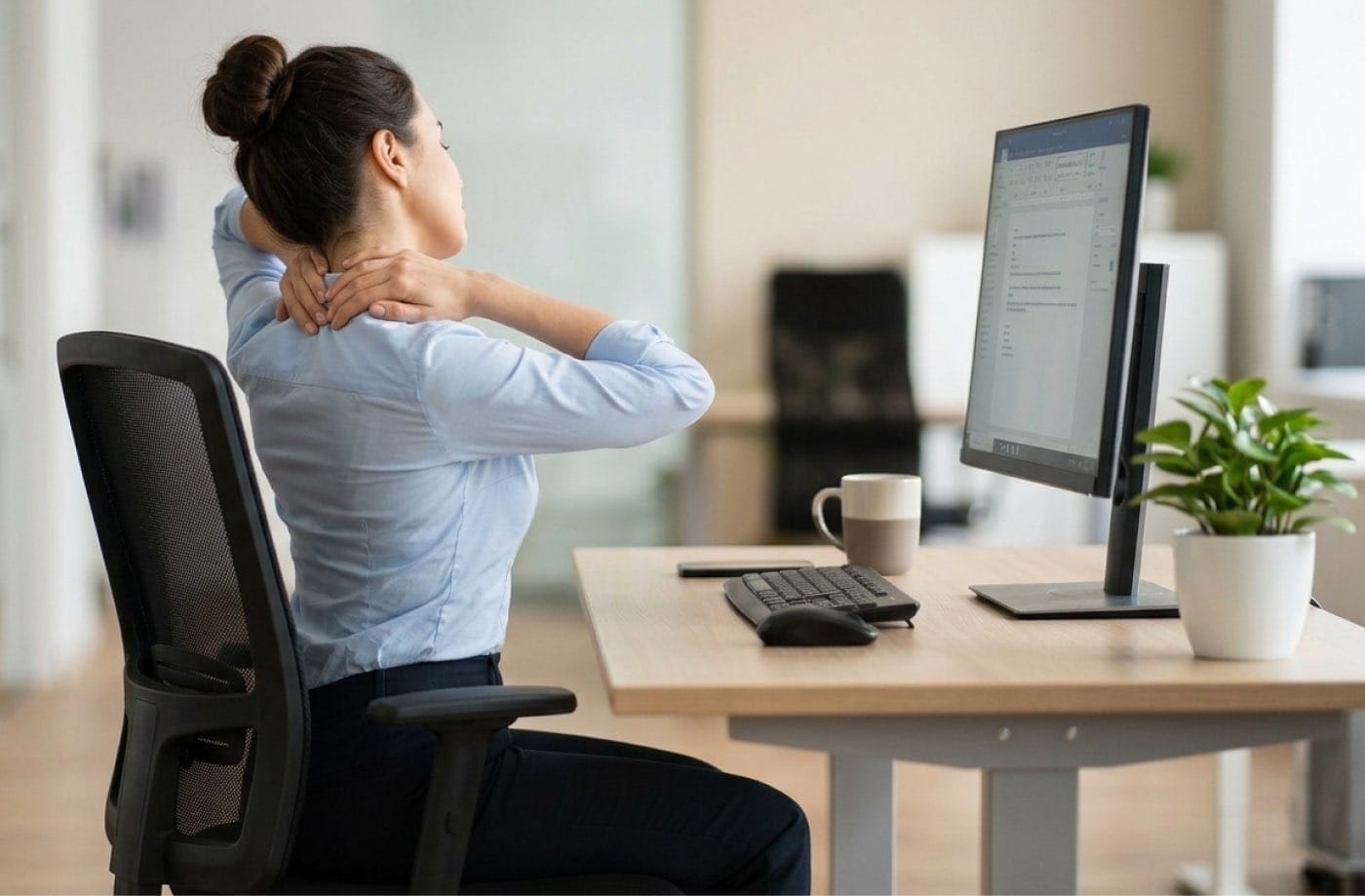
Office work and aches: simple ways to help yourself during the working day
If you spend most of the day at a desk, it is not unusual to notice stiffness or discomfort around the neck, shoulders or lower back. You do not need to sit in one perfect position all day. What usually matters more is avoiding long periods without moving.
Take short breaks
The Health and Safety Executive recommends shorter, more frequent breaks from display screen work rather than relying on one long break later in the day.1
That might simply mean getting up to make a drink, walking to speak to a colleague, taking a phone call standing up or doing another task away from the screen. You do not need a complicated routine.
Make your workstation comfortable
A few basic checks can make a difference:
- position the screen so you can view it comfortably without repeatedly bending your neck or leaning forwards. As a general guide, the top of the screen can sit around eye level and the monitor roughly an arm’s length away;
- keep the keyboard and mouse within easy reach;
- make sure your feet are supported;
- adjust your chair so you can sit comfortably without constantly leaning forwards.2
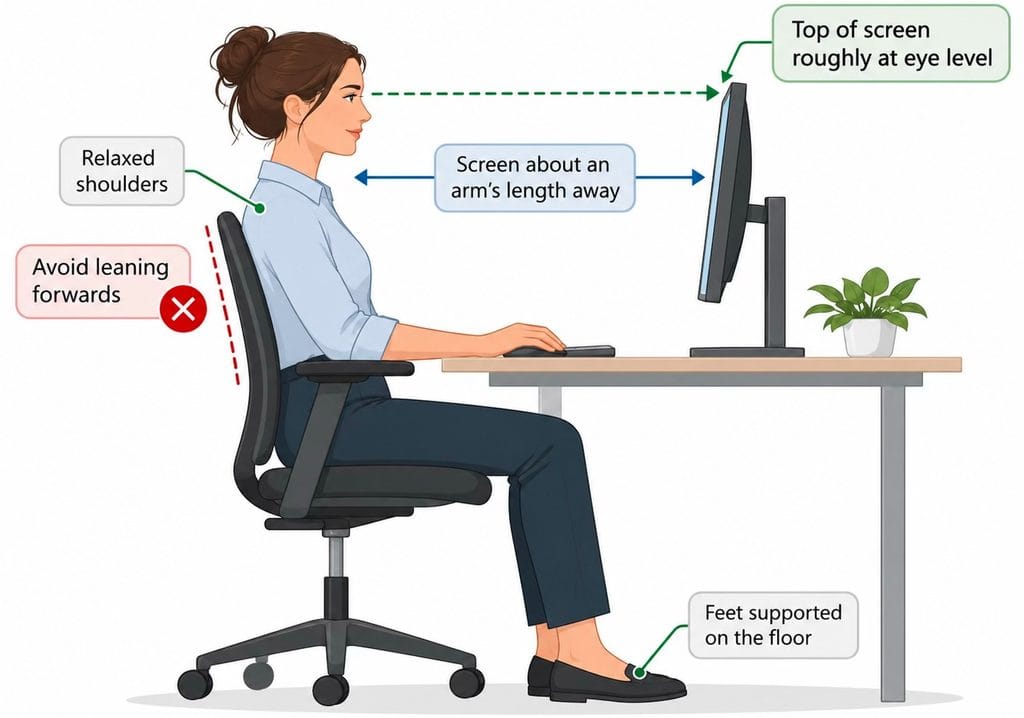
Figure 1. Example of a comfortable desk setup, showing screen height, viewing distance and supported sitting.
Illustration created for Resilience Osteopathy using OpenAI.
The aim is not to create a perfect posture. It is simply to make the position comfortable enough that you are not fighting your workstation all day.
Move when you can
If your back or shoulders start to feel stiff, get up for a couple of minutes. Walk around, roll your shoulders, gently move your neck or straighten your back.
A standing desk can be useful, but standing for hours is not necessarily any better than sitting for hours. It is the change of position that is useful.
There is currently no clear evidence for one perfect break schedule that prevents musculoskeletal pain, so there is little point becoming obsessed with exact timings.3
When should you get it checked?
If pain is persistent, getting worse, regularly affecting your work or associated with symptoms such as numbness or weakness, it may be worth having it assessed by an appropriately qualified healthcare professional.
At Resilience Osteopathy, an assessment with an osteopath in Orpington can look at the painful area alongside your movement, strength, workload and workstation habits to help identify factors that may be contributing.
The key message
If you work at a desk, keep it simple. Set yourself up comfortably, avoid staying fixed in one position for hours and take opportunities to move during the day.

How Resilience Osteopathy may help with work-related aches
If office work and aches are affecting your comfort or everyday activities, Resilience Osteopathy can assess your symptoms and discuss suitable treatment and practical advice.
References
- Health and Safety Executive. Working safely with display screen equipment: work routine and breaks. HSE; updated 20 March 2025.
↩︎ - Health and Safety Executive. Working safely with display screen equipment: good posture when using display screen equipment. HSE.
↩︎ - Luger T, Ferenchak SA, Rieger MA, Steinhilber B. Work-break interventions for preventing musculoskeletal symptoms and disorders in healthy workers. Cochrane Database Syst Rev. 2025;10. doi:10.1002/14651858.CD012886.pub3. ↩︎


Why people choose Resilience Osteopathy

Supportive
osteopathic care in Orpington
Your symptoms, concerns, work, sport and daily activity all matter. Care is tailored to you and your individual goals.

Hands-on
osteopathic treatment
Treatment may include hands-on techniques to support comfort, mobility and movement, depending on your assessment findings.
Read about
postural pain treatment
Find out more about osteopathic care for postural and work-related pain in Orpington and what treatment may include.

Assessment and diagnosis
where appropriate
Your appointment includes a case history and physical assessment to help understand what may be contributing to your symptoms.